 Copy YouTube Transcript
Copy YouTube transcripts in one click.
Get the words from videos and Shorts into your notes or AI chat. Keep timestamps for quotes, or leave them out for easier reading.
Add to Chrome — free copyingDesktop Chrome · Requires available YouTube captions
Copying and formatting are free. Pro is optional.
Try the free transcript cleaner Already copied a transcript? Remove its timestamps here.
4.6★ · 149 ratings · 40,000 usersChrome Web Store snapshot · September 20, 2026
Choose your output
The same words.
The format you need.
Clean text
Start by writing down one thing you want to learn.
Turn it into a question before you watch the video.
Afterwards, explain the answer in your own words.
Ready to paste into notes, a document, or an AI chat.
With timestamps
0:00 Start by writing down one thing you want to learn.
0:06 Turn it into a question before you watch the video.
0:12 Afterwards, explain the answer in your own words.
Keep time references so you can check a quote in the video.
Original sample text illustrating the two formats. No video is loaded.
Simple controls, right in Chrome
Open a captioned video, choose your formatting, and copy.
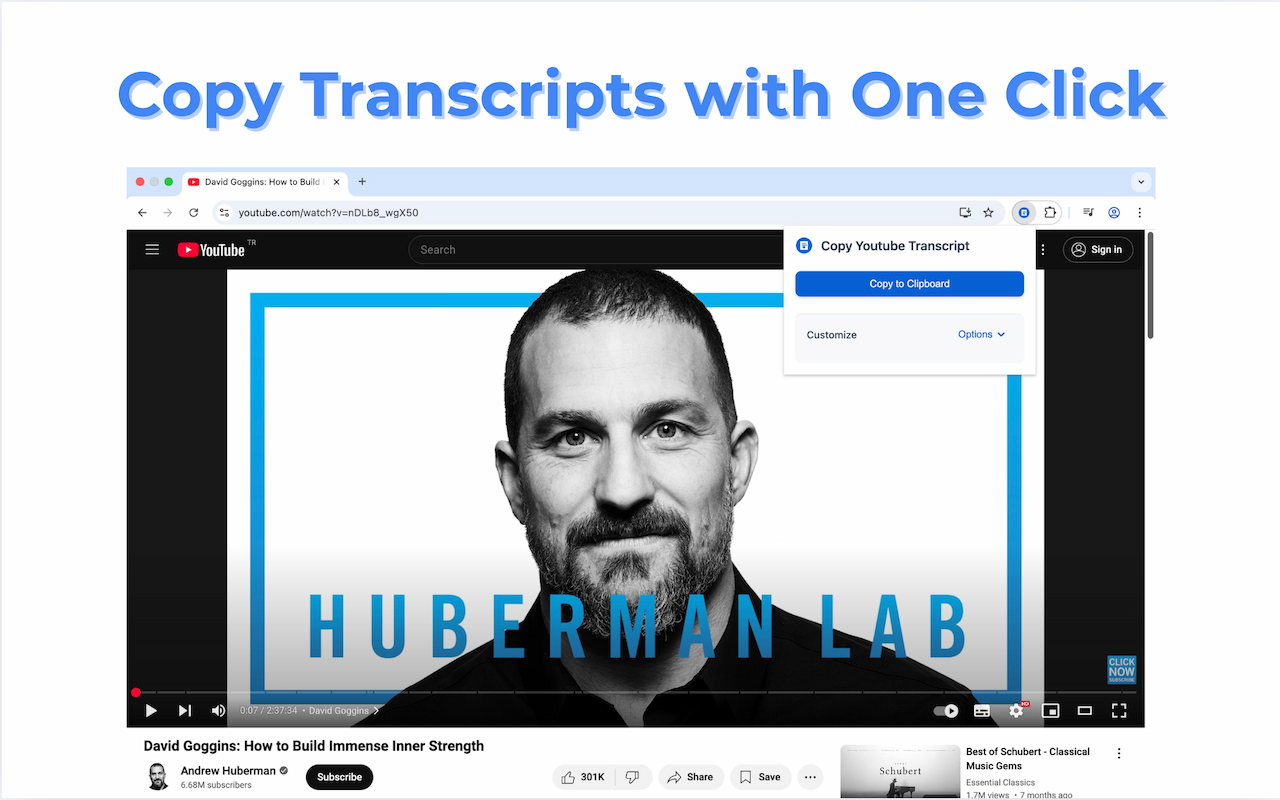
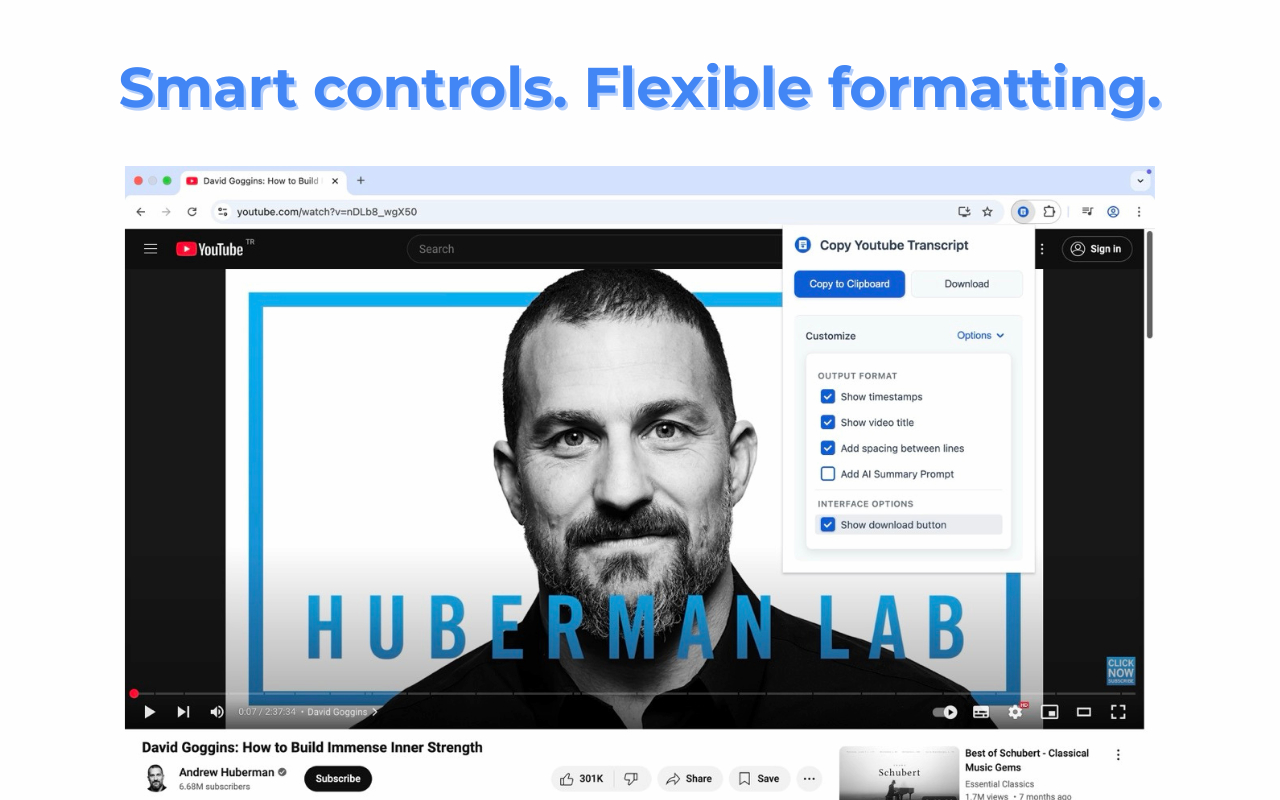
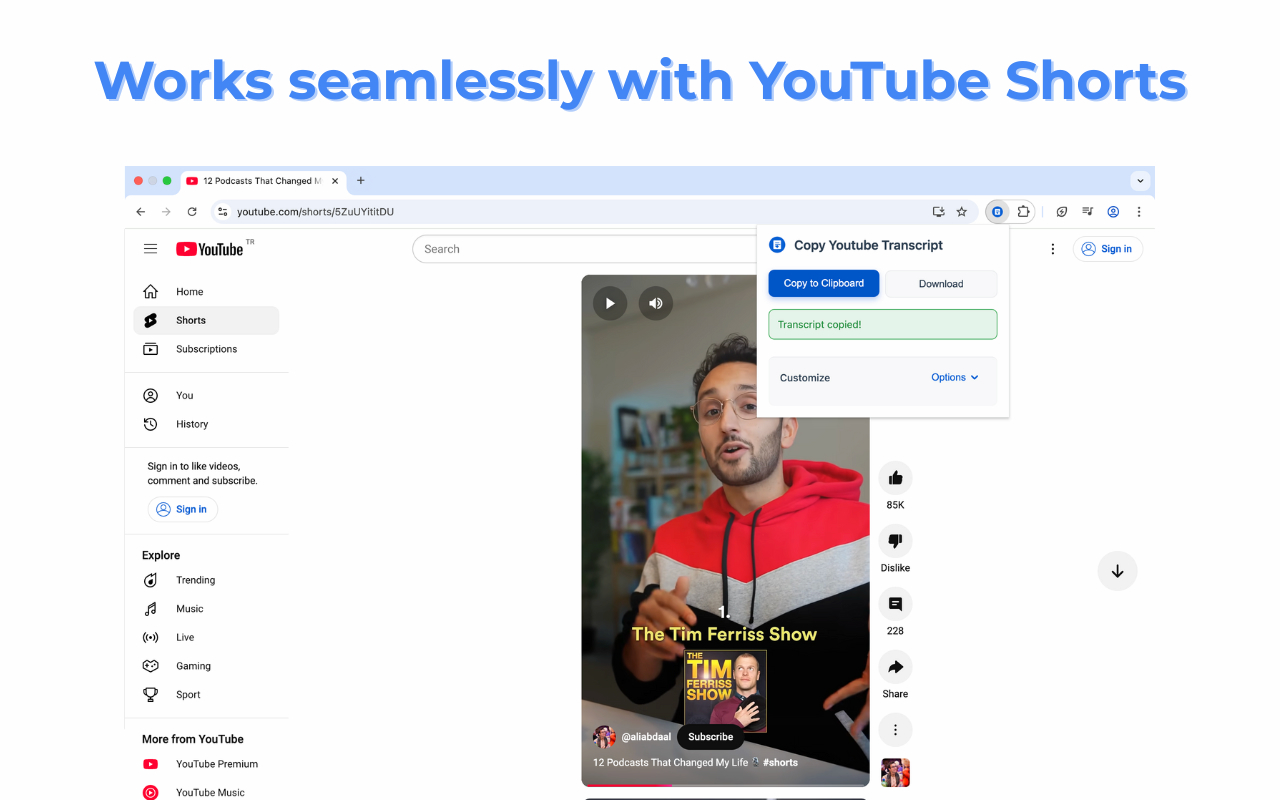
Screenshots show the extension controls; their layout may vary by version.
How to Copy a YouTube Transcript
Just 3 simple steps
Install the Extension
Add Copy YouTube Transcript from the Chrome Web Store. Basic copying is free; Pro features are optional.
Open a Video with Captions
Navigate to any YouTube video or Short that has captions/subtitles available.
Click Copy to Clipboard
Click the extension icon and hit "Copy to Clipboard". The entire transcript is ready to paste anywhere!
Free copying. Optional Pro tools.
Start with the transcript. Upgrade only if you need the extra tools.
Free
- Copy captions from videos and Shorts
- Include or remove timestamps
- Customize titles and line spacing
- Download plain text and add your own AI prompt
Pro
- Export PDF and Markdown
- Use AI chat in the side panel
- Save named formatting presets
- Keep an expanded transcript history
See current upgrade options inside the extension.
Get more from your transcripts
Practical guides for the task you are working on.
Frequently Asked Questions
How do I copy a YouTube transcript?
Install Copy YouTube Transcript extension, open any YouTube video with captions, click the extension icon, and hit "Copy to Clipboard". The entire transcript is copied instantly.
Does this work with YouTube Shorts?
Yes! Copy YouTube Transcript works with both regular YouTube videos and Shorts, as long as they have captions available.
Can I include timestamps in the transcript?
Yes, you can customize the output to include or exclude timestamps, add spacing between lines, and even include the video title.
Is this extension free?
Basic transcript copying and formatting are free. PDF/Markdown export, the AI side panel, saved presets and expanded history are optional Pro features.
Can I use the transcript with AI tools like ChatGPT?
Yes. Copy the transcript and paste it into your AI chat. Custom prompts are available with free copying; the integrated AI side panel is a separate Pro feature.
What if a video doesn't have captions?
The extension needs captions already available on YouTube. It does not transcribe the audio of videos without captions.
Does it work offline?
You need an internet connection to load the video and its captions. After copying or saving the text, you can read it offline.
Ready to Copy YouTube Transcripts?
Copy available captions into the tools you already use.
Free copying and formatting · Optional Pro features · Desktop Chrome