 Gemini Bulk Delete
Delete selected chats: Use Gemini Bulk Delete in desktop Chrome to add checkboxes to the sidebar. Select the conversations you want to remove and confirm the deletion.
Delete everything or a date range: Use Google's Gemini Apps Activity controls. You do not need an extension for this.
Get Gemini Bulk DeleteDesktop Chrome · Offers in-app purchases
Which method should you use?
If useful project chats are mixed in with experiments and one-off questions, choose them individually. A date filter is a poor fit when you want to keep some conversations from the same period.
If you want a complete cleanup, or everything from a particular period removed, start with Google's built-in activity controls below. Decide what to keep before you select an entire history.
Save a separate copy of anything you need first. Check the Google account shown in Gemini and review your selection before confirming. Deletion is not an archive or a way to temporarily hide chats.
How to delete multiple Gemini chats at once
- Install the extension. Open Gemini Bulk Delete in the Chrome Web Store and select Add to Chrome.
- Open Gemini. Visit gemini.google.com and enable the extension's multi-select mode.
- Choose the chats. Tick their checkboxes. The extension also offers Select All with auto-scroll; review the selected chats before continuing.
- Confirm deletion. Click Delete Selected, check the confirmation, and proceed only when the selection is correct.
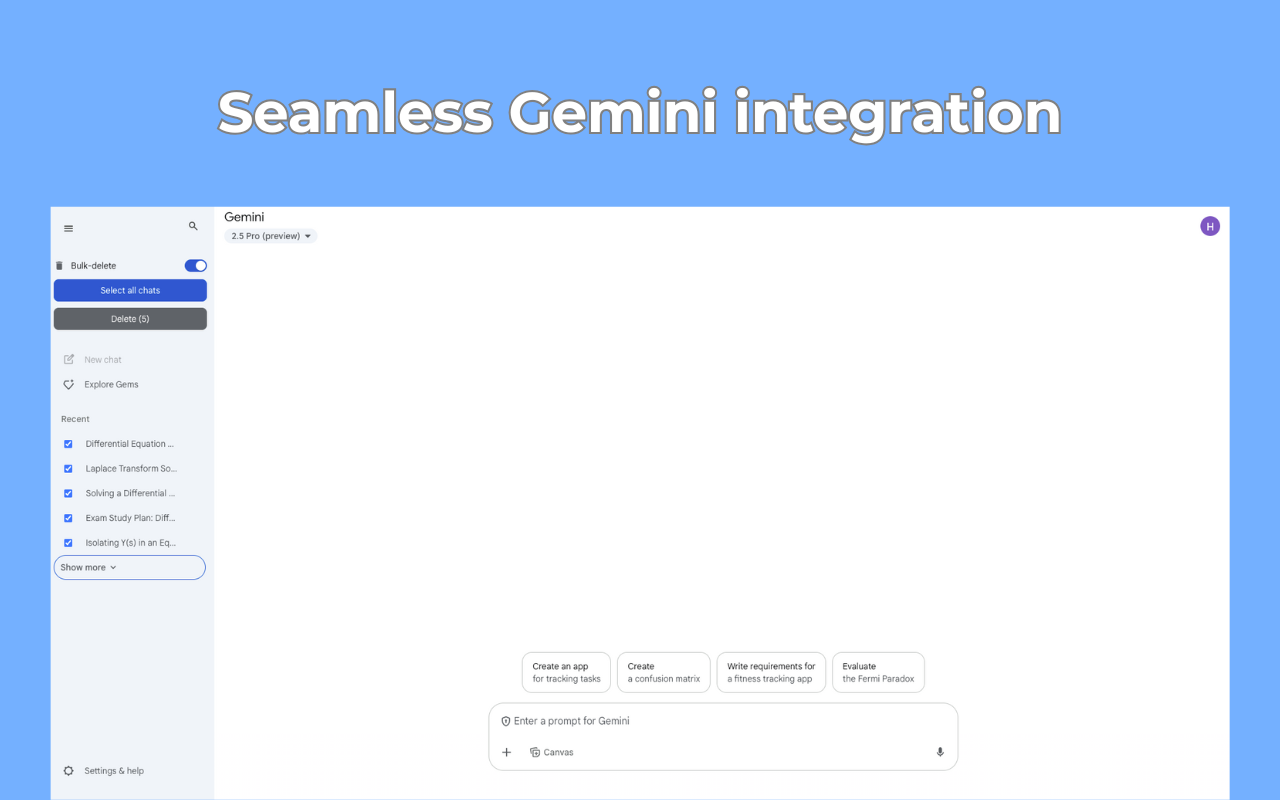
This method is useful for removing a chosen group while keeping other conversations. Start with a small selection you have already reviewed if you are using the controls for the first time.
How to delete all Gemini chats or a date range
For a personal Google account, use Gemini Apps Activity:
- In Gemini, open Settings & help → Activity, or go directly to Gemini Apps Activity.
- Above the activity list, select Delete → All time to clear all saved Gemini Apps activity.
- For a narrower cleanup, choose Custom range, Last hour, or Last day instead.
- Review the scope and follow Google's confirmation prompts.
These steps follow Google's activity deletion instructions. This clears saved activity; it does not close your Google account.
Common questions
Is Gemini Bulk Delete free?
The store listing marks the extension as offering in-app purchases. Check the extension's current limits and upgrade options before planning a large cleanup. Google's activity deletion controls do not require this extension.
What if I use a work or school account?
Your Workspace administrator controls Gemini Apps Activity settings. The personal-account options above may not be available. See Google's account guidance.
How do I remove a shared-chat link?
To remove a public link, open Settings & help → Your public links in Gemini and select Delete public link. See Google's shared-chat controls.
What if the selection controls do not appear?
Check that the extension is enabled in Chrome, then reload Gemini after saving any unfinished prompt. If the issue continues, use the developer contact on the store listing. Include your Chrome and extension versions and describe which step failed; private chat text is not needed.
Choose which Gemini chats to remove
Use checkboxes when you want to keep some conversations and delete others.
Get Gemini Bulk DeleteDesktop Chrome · Offers in-app purchases · Independent of Google